Tools and providers
Part of Choosing tools and suppliers for a gaming channel by drawing the workflow first
OBS, DaVinci Resolve and YouTube Studio among five gaming creator tools in a task shortlist
A task-based shortlist of five gaming creator tools, covering OBS Studio, DaVinci Resolve, YouTube Studio, Twitch and Discord, with roles and limits but no prices.
There is no defensible single best tool for every gaming creator. A live broadcaster, edited-video channel and community operator have different jobs. The five entries below form a task-based research shortlist, not a ranking.
Inclusion required a live first-party record on 5 September 2026, a clear role in a gaming workflow and a limitation a buyer can test. Products were not installed or hands-on tested, and no screenshots come from our own test rig.
This article gives no prices by design, because editions, plans, VAT treatment and regional billing can change. An England-based creator should check regional billing, currency and feature availability before relying on any entry.
What to take away
- OBS performance depends on the creator's own computer, encoder, resolution, frame rate and scene complexity.
- DaVinci Resolve's free and Studio editions differ, so list codec, resolution, caption and effects needs first.
- YouTube Studio and Twitch Creator Dashboard are native surfaces, not neutral cross-platform reporting services.
- Discord AutoMod supports moderators but does not replace people, and some privileged roles are exempt.
| Tool | Task | Platform | Cost model | Key limitation |
|---|---|---|---|---|
| OBS Studio | Capture and broadcast | Windows, macOS, Linux | Free and open source, no paid tier | Performance depends on the creator's computer, encoder, resolution, frame rate and scene complexity |
| DaVinci Resolve | Post-production | Windows, macOS, Linux | Free edition plus paid Studio licence | Free and Studio editions differ on codec, resolution, caption, collaboration and effects |
| YouTube Studio | Channel evidence | Web, YouTube app | Free with a YouTube channel | Native to YouTube only, and some Audience report fields may be limited |
| Twitch Creator Dashboard | Twitch operations | Web, Twitch app | Free with a Twitch account | Native to Twitch only, and some functions are Affiliate or Partner only |
| Discord AutoMod | Server safety layer | Web, Discord app | Free with a Discord server | Supports rather than replaces people, with role exemptions and spam gaps |
1. OBS Studio for capture and broadcasting
OBS Studio belongs on a shortlist when the requirement is to assemble game, camera, audio and graphic sources into recordings or a live output. Its official overview documents scenes, sources, filters, Studio Mode, recording and streaming settings.
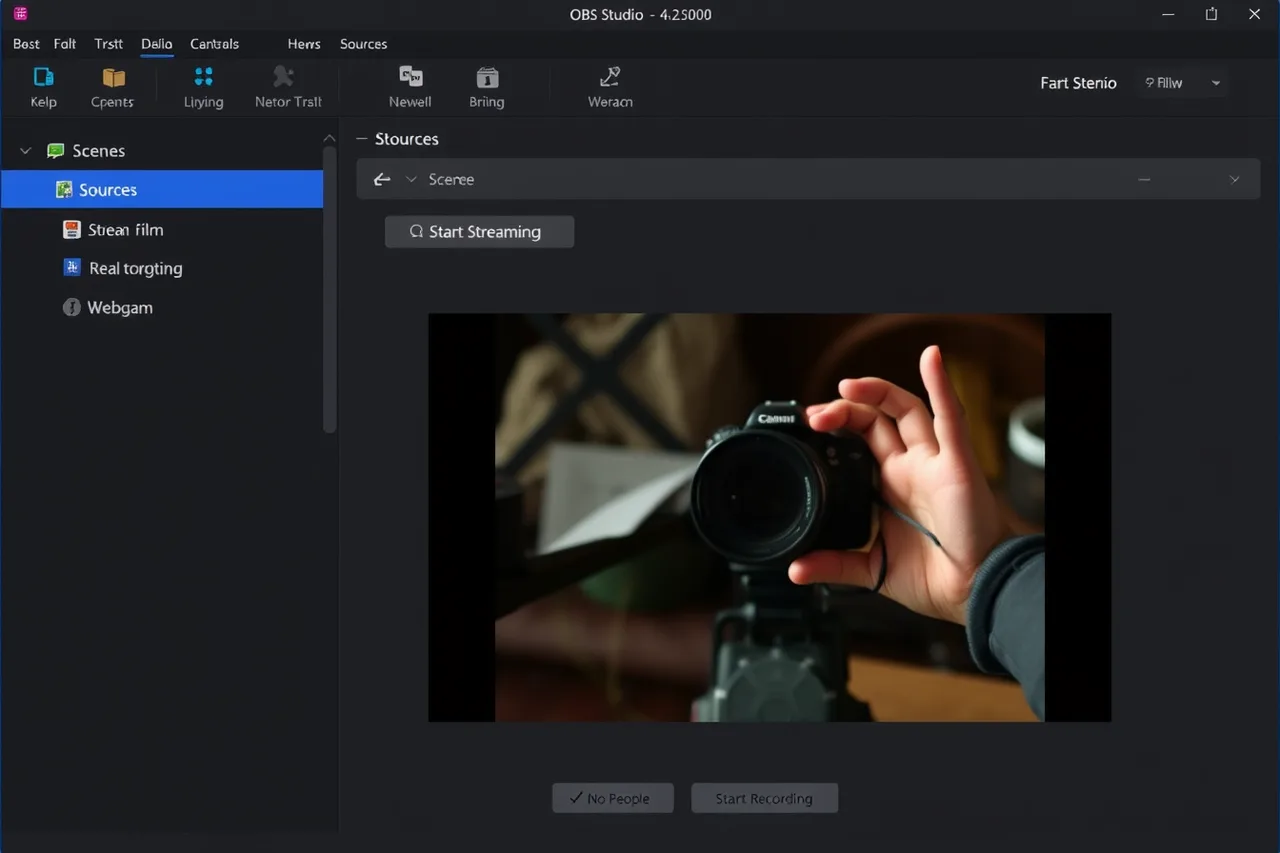
The important limitation is performance on the creator's own computer. OBS states in its system requirements that basic compatibility does not guarantee the planned stream or recording will work, because load changes with encoder, resolution, frame rate and scene complexity.
A typical starting point is the x264 encoder at the veryfast preset, 1080p at 60 fps and a 6000 Kbps bitrate, then check for dropped frames on the heaviest scene.
2. DaVinci Resolve for post-production
DaVinci Resolve is relevant where one application needs to cover timeline editing, colour work, visual effects, motion graphics and audio finishing. Blackmagic Design's current product page separates the free Resolve edition from additional Studio capabilities.
That edition boundary matters. A buyer should list the precise codec, resolution, caption, collaborative and effects needs, then verify which version and hardware meet them. For example, test the exact camera codec, such as 4K 10-bit H.265 from a mirrorless camera, and confirm the free edition decodes and exports it.
3. YouTube Studio for channel evidence
YouTube Studio is the native administration and measurement surface for a YouTube channel. Google's dashboard guide describes cards for recent content, channel violations, comments, notifications and analytics.
Use it as a source for YouTube activity, not as proof of the entire audience market. Google's Audience report guidance notes that some geography, traffic-source or demographic information may be limited. For example, open Analytics > Audience and note whether the returning viewers card shows a demographic breakdown for the chosen period.
Record the selected date range and unavailable fields when exporting evidence.
4. Twitch Creator Dashboard for Twitch operations
Twitch describes its Creator Dashboard as the home for managing streams, content, safety settings, moderation and analytics. It can therefore reduce the need for a separate tool when the task concerns Twitch itself.
It is not a neutral cross-platform reporting service, and Twitch says some dashboard functions are available only to Affiliates or Partners. For example, compare the live view count in Stream Manager with the Channel Analytics figure for the same broadcast date.
Confirm eligibility in the actual account and reconcile any third-party report against the native figures before sponsor reporting.
5. Discord AutoMod for a server safety layer
Discord AutoMod can detect specified keywords or spam patterns and then block a message, alert moderators or apply configured actions. The first-party AutoMod FAQ explains its filters, exemptions, permissions and known gaps.
It should support rather than replace people. Discord notes that some privileged roles are exempt and that spam detection may not catch everything. For example, test a keyword filter for a common slur in a private channel and confirm that a moderator role is exempt before enabling it server-wide.
Limit who can change the rules and keep a human escalation route for context-sensitive cases.
How to use this shortlist
Choose the workflow gap first, then take only the relevant candidates into a local trial. Specify the input, output, account owner, failure limit, export method and evidence date. The winning result is a tested route with known limitations, not five new accounts.
Before adoption, capture one comparable result from each relevant candidate: an accepted stream, reopened edit, dated native report or correctly handled moderation case. Keep the original file and settings. Reject a tool that cannot reproduce the required outcome or leave a usable export, however broad its feature list appears.
Before you act
- Choose the workflow gap before selecting candidates.
- Run a local trial on the heaviest game and save the recording.
- Verify which Resolve edition meets your needs.
- Record the date range and unavailable fields when exporting.
- Confirm Twitch eligibility in the actual account.
- Test AutoMod rules in a private channel first.
Common questions
What should a buyer check before adopting DaVinci Resolve?
Blackmagic Design separates the free Resolve edition from additional Studio capabilities. A buyer should list the precise codec, resolution, caption, collaborative and effects needs, then verify which version and hardware meet them.
Can Discord AutoMod replace human moderators?
No. The article says AutoMod should support rather than replace people. Discord notes that some privileged roles are exempt and spam detection may not catch everything, so keep a human escalation route for context-sensitive cases.